🎶 The Healing Power of Music — Get Your Free Guide

Music isn’t just something we listen to — it’s a tool for healing, focus, and joy. Over my 25 years as a pianist, harpist, and music educator, I’ve seen how the right sounds can transform moods, reduce stress, and spark creativity.

That’s why I created a FREE guide: The Healing Power of Music — a short, practical resource to help you experience these benefits in your own life.


🌟 What You’ll Learn Inside

  • How music impacts your brain and emotions
  • Specific sounds and keys that can enhance focus, relaxation, or energy
  • Simple ways to add music to your daily routine for better well-being
  • Tips for using music in work, study, or relaxation time

🎁 Why I’m Giving It Away

I believe music is a universal language — and the more we understand how it works, the more we can use it for good. This guide is my way of helping you start your own mindful music journey, completely free.


📩 How to Get Your Free Guide

Getting access is easy:

  1. Enter your email using the signup form below.
  2. Confirm your subscription (check your inbox & spam folder just in case).
  3. Your free guide will be delivered straight to your email!

🚀 Ready to Experience the Healing Power of Music?

Click below to get started and download your free guide today:

Healing Power of Music


🔮 Want to Go Deeper?

After you grab your free guide, I’ll also send you information about my 31-Day Music Listening Journal — a simple, daily practice designed to help you build a mindful music habit, reduce stress, and spark creativity.

It’s the perfect next step if you want to live more musically.

Get it Here:

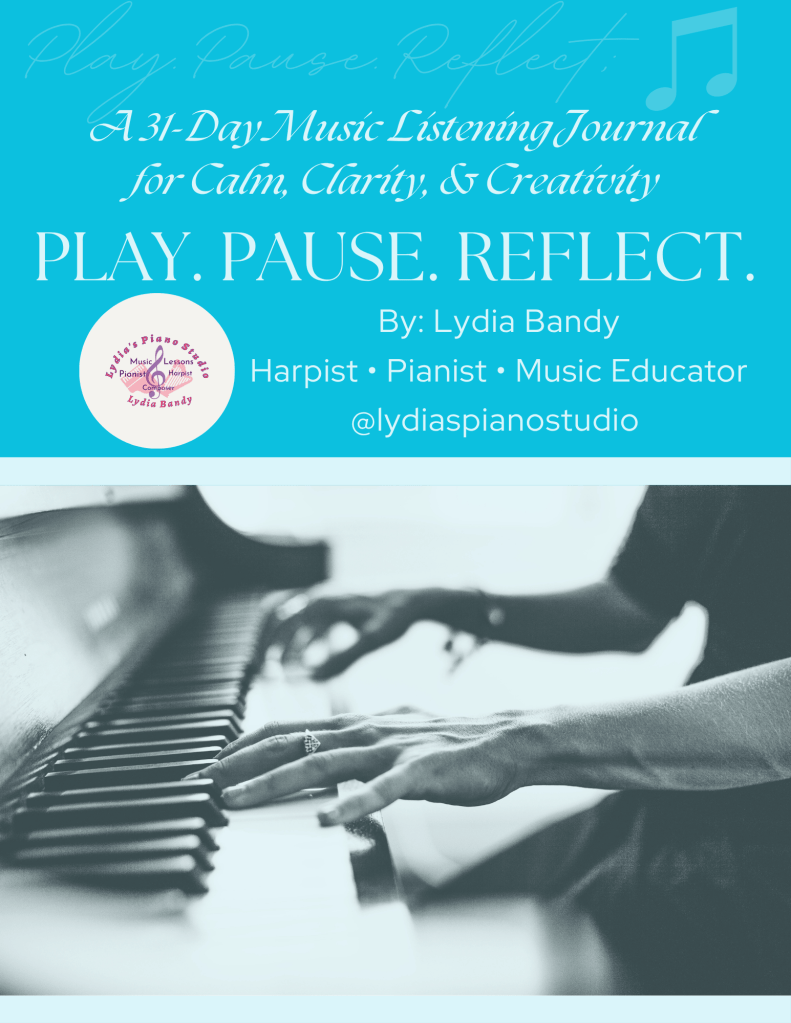
PLAY. PAUSE. REFLECT.

🎶 Introducing Play. Pause. Reflect. – A 31-Day Music & Mindfulness Journal

For years, I’ve turned to journaling and music to help me process life, calm anxiety, and reconnect with my creativity. As a therapeutic harpist and music educator, I’ve seen how powerful it can be to simply listen on purpose — to let music hold space for our emotions.

That’s why I created Play. Pause. Reflect., a 31-day guided journal designed to help you slow down, breathe deeply, and find your rhythm again — one intentional song at a time.


✨ What is Play. Pause. Reflect.?

It’s not just a journal — it’s a daily ritual for your soul.

Inside, you’ll find:

🎵 31 unique prompts that blend music listening with mindfulness
📝 Reflective questions that help you process thoughts, feelings, and memories
📄 A beautifully designed printable PDF version
🖊️ A fully editable Google Doc version for digital journaling
💬 Inspirational quotes from musical legends

Whether you’re a musician, a creative, or simply someone who loves music — this journal was made for you.


💛 Who It’s For:

  • Anyone navigating stress, anxiety, or creative burnout
  • Music lovers who want to connect with songs on a deeper level
  • Journalers looking for fresh, emotionally rich prompts
  • Adults, educators, therapists, and creatives seeking a new self-care ritual

🎉 Special Launch Offer: Only $17

For a limited time, you can get instant access to Play. Pause. Reflect. for just $17 (regularly $27).

👇 Click here to grab your copy and begin your journey:
👉 Purchase the Journal for $17


🙌 Thank You for Supporting My Work

This journal has been part of my personal journey for over 30 years — and I’m honored to now share it with you.

Music has always had the power to calm, inspire, and heal. I hope this becomes a trusted tool for your wellness, creativity, and reflection.

With music and gratitude,
Lydia Bandy
@lydiaspianostudio
www.lydiaspianostudio.com


📌 Optional Footer Callout:

🎶 Don’t wait — the $17 launch offer ends soon!
Grab your journal here

Big News: Lydia’s Piano Studio Is Going Online! 🎉

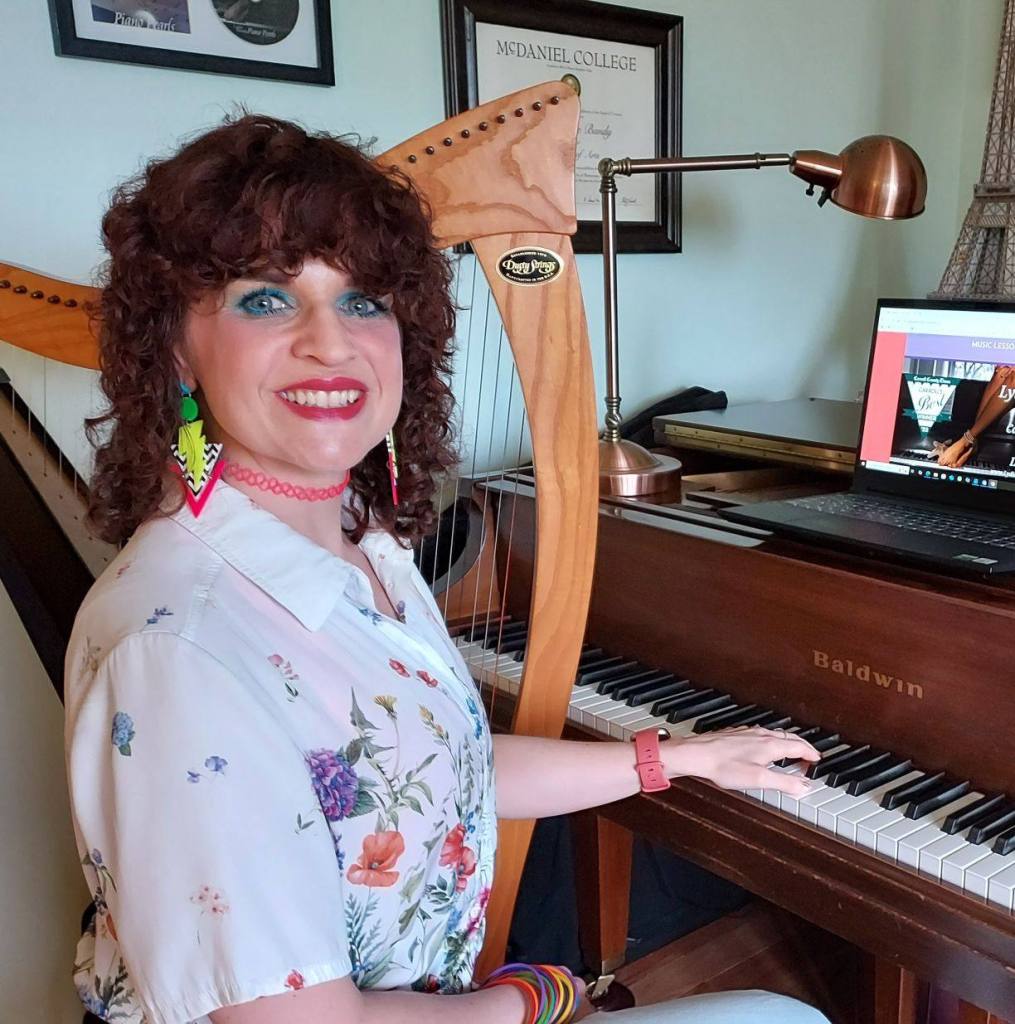
After 25+ years of teaching music in person, I’m thrilled to share a new chapter for Lydia’s Piano Studio — we’re expanding online! 🎶

This past year has been one of growth and transformation. I recently completed a software engineering internship and realized just how much technology can support and enhance music education. Now, I’m combining my passion for music with my new tech skills to offer online lessons, adult music appreciation classes, theory workshops, harp sessions, and more — all accessible from the comfort of your home.

Here’s what’s coming soon:

  • 🎵 Upcoming Mini-Course entitled, “How to Think Like a Musician”
  • 💻 Tech-powered learning tools to make practice fun and engaging
  • 📨 A brand new monthly newsletter with tips, behind-the-scenes updates, and exclusive invites

Whether you’re a current student or someone new looking to learn piano or harp, this expansion means more flexible and creative ways to grow musically.

👉 Be sure to follow me on your favorite platform for updates, sneak peeks, and early sign-up access!

And if you’re already part of the studio, thank you for being on this journey with me — I’m so excited to bring you along as Lydia’s Piano Studio goes digital!

With heart,
Lydia Bandy
🎹 @lydiaspianostudio
🌐 lydiaspianostudio.com

Object-Oriented Programming Explained with a Piano

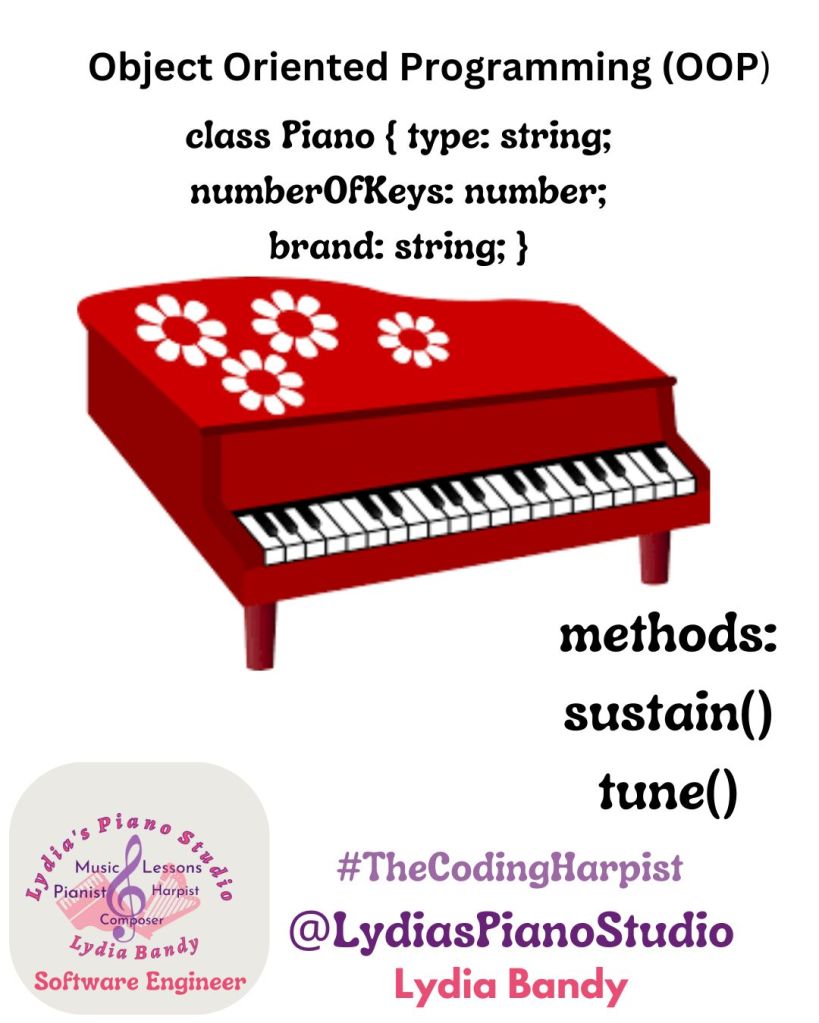
If you’ve ever played or even seen a piano, you already understand the basics of Object-Oriented Programming (OOP). Let’s break it down:

1. Objects and Classes

In OOP, everything is an object, and objects belong to classes. A class is like a blueprint, while an object is an actual instance of that blueprint.

  • Class: Piano (defines what a piano is)
  • Object: A Yamaha grand piano, a Steinway upright, or a digital keyboard—each is an instance of the Piano class.

2. Attributes (Properties)

Every piano has characteristics, just like objects in OOP. These are called attributes.

typescript  class Piano {
  type: string;
  numberOfKeys: number;
  brand: string;

  constructor(type: string, numberOfKeys: number, brand: string) {
    this.type = type;
    this.numberOfKeys = numberOfKeys;
    this.brand = brand;
  }
}
  • type: grand, upright, digital
  • numberOfKeys: usually 88, but some have 76 or 61
  • brand: Yamaha, Steinway, Roland, etc.

3. Methods (Behaviors)

Pianos do things! In OOP, we call these methods—functions that objects can perform.

typescript  class Piano {
  playNote(note: string) {
    console.log(`Playing ${note}`);
  }

  sustain() {
    console.log("Sustaining sound...");
  }
}
  • playNote(note): Plays a given note (C, D, E, etc.).
  • sustain(): Holds the sound longer, like using a sustain pedal.

4. Inheritance (Extending the Blueprint)

Different pianos share common features but have unique differences. In OOP, we use inheritance to create specialized versions of a class.

typescriptclass DigitalPiano extends Piano {
  hasSpeakers: boolean;

  constructor(brand: string, hasSpeakers: boolean) {
    super("Digital", 88, brand);
    this.hasSpeakers = hasSpeakers;
  }

  changeSound(sound: string) {
    console.log(`Changing sound to ${sound}`);
  }
}
  • The DigitalPiano class inherits from Piano but adds a unique changeSound method.

5. Encapsulation (Keeping Things Private)

Some details of a piano are hidden from the player, like how the hammer mechanism works. In OOP, we use encapsulation to restrict access to certain properties.

typescriptclass Piano {
  private isTuned: boolean = true;

  tune() {
    this.isTuned = true;
    console.log("Piano is now in tune.");
  }
}
  • The isTuned property is private, meaning it can’t be changed directly.

6. Polymorphism (Same Method, Different Behavior)

A digital piano and an acoustic piano both play notes, but they do it differently. Polymorphism allows different objects to use the same method but behave in unique ways.

typescriptclass AcousticPiano extends Piano {
  playNote(note: string) {
    console.log(`Striking a hammer to play ${note}`);
  }
}

class DigitalPiano extends Piano {
  playNote(note: string) {
    console.log(`Generating digital sound for ${note}`);
  }
}
  • Both AcousticPiano and DigitalPiano use playNote(), but one physically strikes strings while the other generates a digital sound.

Final Thoughts

Object-Oriented Programming organizes code the way a piano organizes music: into logical, reusable, and structured components. Whether you’re writing code or playing an instrument, it all comes down to patterns and creativity!

If you’re a musician learning to code, OOP might be more intuitive than you think! What other musical analogies can you think of?

Lydia Bandy Avatar

Decoding Music with Tries: Recognizing Patterns and Motifs

Introduction

Music is full of patterns: repeated motifs, common progressions, and recurring rhythms. Recognizing these patterns is essential for both musicians and listeners, whether it’s identifying the theme in a symphony or recalling a riff in a jazz solo. In coding, tries (also called prefix trees) are data structures designed to efficiently store and search strings, making them perfect for analyzing musical sequences.

In this post, we’ll explore how tries can be used to identify patterns in music, such as repeated motifs or melodic prefixes, and we’ll implement a trie to analyze a melody in the C Major scale.


Tries in Music: Recognizing Motifs and Prefixes

A trie organizes data in a tree-like structure where each level represents a letter (or note in our case). This makes it easy to:

  • Store patterns: Add motifs or sequences to the trie.
  • Search patterns: Check if a motif exists or find all motifs starting with a specific prefix.
  • Analyze frequency: Count occurrences of each motif.

In music, this might look like identifying all motifs that start with “C-E-G” or finding all variations of a theme.


Python Code: Building a Trie for Musical Motifs

Here’s how you can implement a trie to analyze motifs in a melody:

pythonclass TrieNode:
    def __init__(self):
        self.children = {}
        self.is_end_of_motif = False
        self.count = 0  # Keeps track of how many times the motif appears

class Trie:
    def __init__(self):
        self.root = TrieNode()
    
    def insert(self, motif):
        node = self.root
        for note in motif:
            if note not in node.children:
                node.children[note] = TrieNode()
            node = node.children[note]
        node.is_end_of_motif = True
        node.count += 1
    
    def search(self, motif):
        node = self.root
        for note in motif:
            if note not in node.children:
                return 0  # Motif not found
            node = node.children[note]
        return node.count if node.is_end_of_motif else 0
    
    def starts_with(self, prefix):
        node = self.root
        for note in prefix:
            if note not in node.children:
                return []
            node = node.children[note]
        return self._collect_motifs(node, prefix)
    
    def _collect_motifs(self, node, prefix):
        results = []
        if node.is_end_of_motif:
            results.append(("".join(prefix), node.count))
        for note, child in node.children.items():
            results.extend(self._collect_motifs(child, prefix + [note]))
        return results

# Example usage
melody = ["C", "E", "G", "C", "F", "E", "C", "E", "G", "A", "C", "E", "G", "C"]

# Build the trie
trie = Trie()
for i in range(len(melody) - 2):  # Analyze motifs of length 3
    motif = melody[i:i+3]
    trie.insert(motif)

# Search for specific motifs
search_motif = ["C", "E", "G"]
count = trie.search(search_motif)
print(f"Motif {search_motif} appears {count} times.")

# Find motifs starting with a prefix
prefix = ["C", "E"]
results = trie.starts_with(prefix)
print(f"Motifs starting with {prefix}:")
for motif, freq in results:
    print(f"{motif}: {freq} times")

Explanation of the Code

  1. TrieNode Class: Represents each node in the trie, storing children nodes, an end-of-motif marker, and a count of occurrences.
  2. Trie Class: Contains methods for inserting motifs, searching for motifs, and finding all motifs with a specific prefix.
  3. Insert: Adds a motif to the trie and updates its count if it already exists.
  4. Search: Checks if a motif exists in the trie and returns its frequency.
  5. Starts With: Finds all motifs that share a given prefix and their frequencies.

Example Output

Given the melody ["C", "E", "G", "C", "F", "E", "C", "E", "G", "A", "C", "E", "G", "C"], the output might be:

bashMotif ['C', 'E', 'G'] appears 3 times.
Motifs starting with ['C', 'E']:
CEG: 3 times
CEF: 1 times

This demonstrates how a trie efficiently organizes and analyzes motifs and prefixes in the melody.


Tries and Musical Analysis

Tries are like a musical dictionary, helping composers and analysts:

  • Identify recurring motifs.
  • Explore variations of a theme.
  • Analyze patterns in large compositions.

Final Thoughts

Tries are powerful tools for storing and analyzing patterns, both in music and coding. By drawing connections between motifs and prefixes, we can better understand how structure and repetition shape a piece.

In our next post, we’ll explore graphs and shortest paths, relating them to navigating key changes and harmonic progressions in music.


Questions for Reflection and Practice

  1. How could you modify the trie to handle motifs of varying lengths?
  2. What other musical patterns could you analyze using a trie?
  3. How might you apply this concept to rhythmic patterns or chord progressions?
  4. Can you think of other ways tries could support music composition or analysis?
Lydia Bandy Avatar

Structuring Rhythm and Dynamics with Heaps: A Musical Priority Queue

Introduction

Music is not just about notes and scales; it’s also about emphasis, intensity, and flow. Whether it’s the crescendo of a symphony, the groove in a drumline, or the pulse of electronic beats, rhythm and dynamics determine how a piece feels and moves. In coding, these elements can be likened to heaps, which organize data by priority.

In this post, we’ll explore how heaps (particularly priority queues) relate to rhythm and dynamics, and how they can help us manage prominence or intensity in music.


Heaps in Music: Prioritizing Beats and Notes

A heap is a binary tree that maintains an order where the parent node is always greater (max heap) or smaller (min heap) than its child nodes. This structure is ideal for priority queues, where we need to manage and retrieve the most important (or least important) element efficiently.

In music, think of a priority queue as a way to decide which beats, notes, or dynamic changes should take precedence. For example:

  • A drummer might emphasize beats with louder strikes.
  • A conductor might bring certain instruments forward in a section.

Using a heap-like structure, we can simulate this prioritization in coding.


Python Code: Managing Dynamics with a Max Heap

Let’s say we have a sequence of notes, each with an assigned intensity (dynamic level). A max heap will help us quickly identify and play the most intense notes first.

pythonimport heapq

# Define a list of notes with intensity levels
notes_with_intensity = [
    ("C", 5),
    ("G", 8),
    ("A", 3),
    ("F", 7),
    ("E", 6),
    ("D", 2),
    ("B", 9)
]

# Create a max heap by inverting intensity values
max_heap = [(-intensity, note) for note, intensity in notes_with_intensity]
heapq.heapify(max_heap)

# Play notes in order of intensity
print("Playing notes in order of intensity:")
while max_heap:
    intensity, note = heapq.heappop(max_heap)
    print(f"Note: {note}, Intensity: {-intensity}")

Explanation of the Code

  1. Notes with Intensity: Each note is paired with a dynamic level (e.g., ("C", 5) means note C has an intensity of 5).
  2. Max Heap: Since heapq in Python is a min heap by default, we invert the intensity (use -intensity) to simulate a max heap.
  3. Heapify: The heapq.heapify function organizes the list into a heap structure.
  4. Playing Notes: The notes are retrieved and “played” in descending order of intensity using heapq.heappop.

Example Output

For the input notes_with_intensity, the program might produce:

yamlPlaying notes in order of intensity:
Note: B, Intensity: 9
Note: G, Intensity: 8
Note: F, Intensity: 7
Note: E, Intensity: 6
Note: C, Intensity: 5
Note: A, Intensity: 3
Note: D, Intensity: 2

This output demonstrates how a heap ensures the most intense notes are prioritized.


Heaps and Musical Interpretation

Heaps offer a structured way to manage musical intensity:

  • Dynamic Markings: Quickly identify the loudest or softest passages in a score.
  • Improvisation: Prioritize certain motifs or riffs based on their perceived importance in real time.
  • Composition: Balance emphasis across instruments or sections.

Final Thoughts

Heaps illustrate the importance of prioritization, whether in a musical context or in coding. They allow us to focus on the most important elements, bringing structure to seemingly chaotic dynamics.

In our next post, we’ll explore trie data structures and relate them to recognizing musical patterns, such as common prefixes in melodies or rhythmic patterns.


Questions for Reflection and Practice

  1. How could you modify the code to simulate a min heap (softest notes first)?
  2. What musical scenarios involve prioritizing elements besides intensity?
    • Think about tempo, timbre, or even phrasing.
  3. Can you apply this concept to managing a band’s dynamics in real-time?
Lydia Bandy Avatar

Mapping Music with Hash Tables: Unlocking Patterns and Memory

Introduction

In our exploration of data structures through music, we’ve covered linked lists, stacks and queues, trees, and graphs. Each post has drawn parallels between programming concepts and musical ideas, from scales and chords to improvisation paths. Now, let’s look at hash tables, a data structure that shines when it comes to quickly finding, storing, and organizing information.

In music, patterns and themes play a vital role. A composer might repeat a motif or phrase, or a jazz musician might recognize and build on an idea during improvisation. Hash tables are like a mental library of these patterns—they allow for rapid recognition and retrieval of recurring elements, just as musicians recall and reuse familiar themes.


Hash Tables in Music: Recognizing and Storing Motifs

A hash table is a data structure that uses a key-value pair to store information. Think of the key as the unique identifier (e.g., a motif or rhythm pattern) and the value as the associated details (e.g., where it appears in a piece).

Imagine you’re analyzing a melody and want to count how many times each note sequence (motif) appears. A hash table lets you efficiently store each motif as a key and its count as the value, updating the count whenever the motif reappears.


Python Code: Using a Hash Table to Count Motifs

Here’s an example of using a hash table to analyze a melody in the C Major scale. The melody is stored as a sequence of notes, and we’ll count how many times each note or motif appears.

python# Define the melody as a sequence of notes
melody = ["C", "E", "G", "C", "F", "E", "C", "E", "G", "C", "F", "E", "G", "A"]

# Create a hash table (dictionary) to store motif counts
motif_counts = {}

# Analyze the melody and count each motif
for i in range(len(melody) - 2):  # Analyze motifs of length 3
    motif = tuple(melody[i:i+3])  # Create a tuple of three consecutive notes
    if motif not in motif_counts:
        motif_counts[motif] = 1  # Add the motif to the hash table
    else:
        motif_counts[motif] += 1  # Increment the count if the motif already exists

# Display the motif counts
print("Motif Counts:")
for motif, count in motif_counts.items():
    print(f"{motif}: {count}")

Explanation of the Code

  1. Melody as Input: The melody is represented as a list of notes in the C Major scale.
  2. Hash Table for Motifs: A dictionary is used to store motifs (keys) and their counts (values).
  3. Motif Analysis: The code loops through the melody and creates 3-note motifs (as tuples). Each motif is added to the hash table or updated if it already exists.
  4. Output: The result is a summary of how many times each motif appears.

Example Output

Given the melody ["C", "E", "G", "C", "F", "E", "C", "E", "G", "C", "F", "E", "G", "A"], the output might look like this:

arduinoMotif Counts:
('C', 'E', 'G'): 2
('E', 'G', 'C'): 2
('G', 'C', 'F'): 2
('C', 'F', 'E'): 2
('F', 'E', 'C'): 1
('E', 'C', 'E'): 1
('E', 'G', 'A'): 1

This output shows which 3-note sequences are repeated and how often. For example, the motif ('C', 'E', 'G') appears twice, which could indicate a recurring theme in the melody.


Hash Tables and Music Memory

Hash tables mirror how musicians and composers use memory:

  • Recognition: Quickly identify motifs or patterns that have already been used.
  • Improvisation: Build on recurring themes in real-time, creating cohesion.
  • Composition: Keep track of musical ideas and ensure they’re developed effectively.

Final Thoughts

Hash tables are invaluable for organizing and analyzing data, just as musicians use memory to recognize and reuse patterns. Whether you’re coding a motif analyzer or composing a symphony, this structure can help unlock creative potential.

In the next post, we’ll look at heaps and explore their application to rhythm and dynamics in music. Think priority queues for managing intensity and flow!


Questions for Reflection and Practice

  1. How might you modify the code to analyze motifs of different lengths?
    • Try analyzing 2-note or 4-note motifs instead of 3-note sequences.
  2. What musical scenarios might involve recognizing patterns beyond melodies?
    • Consider harmonic progressions, rhythmic patterns, or orchestration choices.
  3. How could this hash table be expanded to track motifs across multiple compositions?
    • Think about using file input/output or extending the structure.
  4. What other musical data could you store in a hash table?
    • Examples include key changes, instrument assignments, or dynamic markings.
Lydia Bandy Avatar

Music and Coding Part 5

Discovering Graphs through Jazz Improvisation and Modulation

Introduction

In previous posts, we explored linked lists, stacks and queues, and trees. Each data structure had a unique musical analogy, from the C Major scale to chords and harmonic hierarchies. Now, we’ll look at graphs, which take us to a new level of flexibility, with connections between any two points.

Musically, a graph can represent jazz improvisation or key modulations. Jazz often involves shifting between chords and scales in unexpected ways, allowing musicians to improvise freely. Similarly, a graph structure allows data points (nodes) to connect in any pattern, capturing complex relationships without a strict hierarchy.


Graphs: Connecting Keys and Chords in Jazz Improvisation

A graph is made up of nodes (vertices) and edges (connections between nodes). In jazz improvisation, think of each node as a chord or key, and each edge as a possible transition to another chord or key. Unlike a tree, where each child has a specific relationship with a parent, a graph’s nodes are free to connect in any direction, allowing for intricate and flexible relationships.

Let’s create a graph in Python to represent jazz-style modulations and chord changes in C Major, where each chord connects to other chords based on common jazz progressions.


Python Code for Graph (Jazz Progression and Modulation)

Below is a Python code snippet to set up a graph of chord connections. Feel free to copy and paste this code in your IDE.

python# Define the Graph class to represent chord connections
class ChordGraph:
    def __init__(self):
        self.graph = {}  # Dictionary to hold chord connections

    def add_chord(self, chord):
        if chord not in self.graph:
            self.graph[chord] = []  # Each chord has a list of connected chords

    def add_connection(self, chord1, chord2):
        self.graph[chord1].append(chord2)  # Create a connection from chord1 to chord2
        self.graph[chord2].append(chord1)  # Create a connection back (undirected graph)

    def show_connections(self):
        for chord, connections in self.graph.items():
            print(f"{chord} is connected to: {', '.join(connections)}")

# Initialize a chord graph
jazz_graph = ChordGraph()

# Add chords (nodes)
for chord in ["C", "G", "D", "Em", "Am", "F", "Bb", "E7", "A7"]:
    jazz_graph.add_chord(chord)

# Add connections (edges) between chords for a jazz-style progression
jazz_graph.add_connection("C", "G")
jazz_graph.add_connection("C", "Am")
jazz_graph.add_connection("G", "D")
jazz_graph.add_connection("G", "Em")
jazz_graph.add_connection("Am", "D")
jazz_graph.add_connection("Am", "F")
jazz_graph.add_connection("F", "Bb")
jazz_graph.add_connection("D", "E7")
jazz_graph.add_connection("E7", "A7")

# Display the graph structure
jazz_graph.show_connections()

Explanation of the Code

  1. ChordGraph Class: This class represents a graph with chords as nodes and connections as edges.
    • add_chord adds a chord to the graph if it’s not already present.
    • add_connection creates a two-way connection (undirected edge) between two chords, mimicking the freedom of jazz improvisation.
    • show_connections displays each chord and its connected chords, illustrating the relationships.
  2. Adding Nodes and Connections: We add common jazz chords like C, G, Am, D, and F, then create connections that follow typical jazz transitions. The result is a network of chord relationships that musicians could explore while improvising.

Example Output

Running jazz_graph.show_connections() produces output like:

vbnetC is connected to: G, Am
G is connected to: C, D, Em
Am is connected to: C, D, F
F is connected to: Am, Bb
D is connected to: G, E7, Am
E7 is connected to: D, A7
A7 is connected to: E7
Bb is connected to: F

Here, C connects to G and Am, G connects to D and Em, and so forth, forming a web of possible paths.


Graphs and Musical Freedom

Graphs allow us to explore musical freedom:

  • Chord Transitions: You can modulate between any chords connected by an edge.
  • Improvisation Paths: In jazz, this flexibility allows musicians to navigate progressions based on feel rather than rules.
  • Modulations: Edges between nodes can represent a modulation to a new key, offering an unexpected path and tonal change.

Unlike a tree, where paths are hierarchical, graphs let us explore circular paths and non-linear progressions, ideal for the dynamic nature of jazz.


Final Thoughts

Graphs give us a powerful way to represent connections and choices in music. They capture the essence of jazz improvisation and allow musicians to flow through progressions freely, following connections that feel right at the moment. Next time, we’ll delve into Hash Tables and relate them to musical patterns and memory, such as recognizing recurring themes.

Feel free to try expanding this graph by adding new chords or even connecting different keys, simulating how modulations might work in an improvisational jazz piece.


Questions for Reflection and Practice

  1. What might happen if you made this a directed graph, where each chord only leads to another in one direction?
    • How would that change the way you navigate or improvise within the graph?
  2. Can you think of other musical scenarios where graphs could be useful?
    • Consider complex song structures or ways to represent interactions between instruments.
  3. If you wanted to represent different modes or keys in this graph, how would you modify it?
    • Try adding chords in a new key and exploring connections between keys.
  4. How might this graph change if each connection had a “weight,” like in weighted graphs?
    • For example, connections to closer harmonic relationships could have lower “weights” and distant modulations higher ones.
Lydia Bandy Avatar

Music and Coding Part 3

Exploring Trees through Chord Progressions and Harmonic Hierarchies

Introduction

In the previous posts, we looked at linked lists, stacks, and queues with examples from music theory like the C Major scale, chords, and rhythm patterns. Today, we’ll focus on trees, a versatile data structure that branches out much like musical harmonies and chord progressions.

In music, certain notes or chords are central (like the tonic in a key), and other chords and notes relate back to them, creating a hierarchy. Trees are structured similarly, with a root node branching into children nodes. Each child can itself be a root to its own sub-branches, similar to how chords relate to each other within progressions.

Trees: Representing Chord Progressions in a Key

A tree is a structure with a root node (like the “home” chord in a key) and branches that represent relationships. In a chord progression, we can think of the tonic chord as the root, and each branch leads to chords that build the progression in layers, much like how harmonies unfold in a piece of music.

In this post, we’ll create a tree structure representing a chord hierarchy in the key of C Major.


Python Code for a Tree Structure (Chord Progression)

Here’s the code to create a tree structure for a simple chord hierarchy in C Major.

python# Define a Node class to represent each chord
class ChordNode:
    def __init__(self, chord):
        self.chord = chord        # The chord name (e.g., C, G, Am)
        self.children = []        # List of child chords

    def add_child(self, child_node):
        self.children.append(child_node)  # Add a related chord as a child

# Build the tree for a C Major chord progression
class ChordProgressionTree:
    def __init__(self, root_chord):
        self.root = ChordNode(root_chord)  # Start with the tonic chord (root)

    def display_tree(self, node, level=0):
        print("  " * level + f"{node.chord}")
        for child in node.children:
            self.display_tree(child, level + 1)  # Display each child at the next level

# Set up a C Major chord progression tree
chord_tree = ChordProgressionTree("C")   # Root chord (C Major)

# Add child chords (related chords in a typical progression)
g_chord = ChordNode("G")
am_chord = ChordNode("Am")
f_chord = ChordNode("F")

# Build relationships
chord_tree.root.add_child(g_chord)  # C -> G
chord_tree.root.add_child(am_chord) # C -> Am
chord_tree.root.add_child(f_chord)  # C -> F

# Add more layers to the tree
g_chord.add_child(ChordNode("D"))   # G -> D
g_chord.add_child(ChordNode("Em"))  # G -> Em
am_chord.add_child(ChordNode("Dm")) # Am -> Dm

# Display the tree structure
chord_tree.display_tree(chord_tree.root)

Explanation of the Code

  1. ChordNode Class: This class represents a single chord in the tree, with a chord name and a list of children nodes (related chords).
  2. ChordProgressionTree Class: This class sets up a tree structure, beginning with the root chord.
    • display_tree recursively prints each chord and its children in an indented, hierarchical format.

Example Output

Running chord_tree.display_tree(chord_tree.root) would give us something like this:

mathematicaC
  G
    D
    Em
  Am
    Dm
  F

In this tree, the C chord (root) branches into G, Am, and F. The G chord then branches into D and Em, while Am branches into Dm. This structure mirrors the way chord progressions expand and resolve within a key.


Trees and Music Theory

This structure can represent various hierarchical relationships in music:

  • Chord Progressions: The tree captures a primary chord with related chords in a key.
  • Song Structure: Represent verses, choruses, and bridges branching from a central theme.
  • Harmonic Functions: Show dominant, subdominant, and tonic relationships.

Using a tree makes it easy to add new branches, just as composers might add new chords or resolve existing ones in creative ways.


Final Thoughts

Trees give us a flexible way to represent complex hierarchies, and they’re used in programming to manage data that needs organized relationships. In the next post, we’ll dive into Graphs, which go beyond trees by allowing connections between any two nodes—just like connections between notes in jazz improvisation or modulations in key.

Stay tuned for more musical analogies, and try building your own chord progression tree. Happy coding and composing!


Questions for Reflection and Practice

  1. How might you modify this tree to allow more complex relationships, such as including seventh chords or modulations to other keys?
  2. Could this tree structure represent other hierarchical concepts in music, like scales or modes within different keys?
  3. What would happen if you allowed each chord to link back to any other chord? How might this change the way you navigate or display the structure?
  4. How could you expand the display function to visually show each level’s harmonic function, like tonic, dominant, or subdominant?
Lydia Bandy Avatar

Bridging Music and Coding Part 2


Understanding Stacks and Queues through Chords and Rhythm

Introduction

In the previous post, we explored linked lists through the concept of the C Major scale. Today, we’ll dive into two more fundamental data structures: stacks and queues. These structures are like building blocks that programmers use to organize and manipulate data in specific ways, and they appear often in real-world applications.

Let’s connect these ideas with familiar music concepts: stacks relate to building chords, while queues can be likened to maintaining a rhythmic sequence. By understanding stacks and queues through these musical analogies, we can see how they can be useful in various coding scenarios.


Stacks: Building a Chord

A stack is a data structure that follows a Last-In, First-Out (LIFO) principle—like stacking objects, the last item added is the first one to be removed. Musically, think of building a chord note by note from the bottom up. You add notes on top of each other, but when it’s time to resolve or release the chord, you might play them in reverse order.

In our example, let’s build a C Major chord by pushing notes onto a stack, then releasing them one by one to see the notes in reverse order.

Python Code for Stack (Chord):

# Implementing a stack to build a chord
class ChordStack:
    def __init__(self):
        self.stack = []  # List to hold the chord notes

    def add_note_to_chord(self, note):
        self.stack.append(note)  # Add note to the top of the stack
        print(f"Added {note} to the chord stack.")

    def play_chord(self):
        while self.stack:
            note = self.stack.pop()  # Remove and play the last-added note
            print(f"Playing {note}")

Explanation:

  1. ChordStack Class: This class uses a Python list as a stack to hold notes.
  • add_note_to_chord pushes a note onto the stack, building the chord from the bottom up.
  • play_chord pops notes off the stack one by one, playing the chord in reverse order.

Example of Use:

# Creating the C Major chord stack
chord = ChordStack()
chord.add_note_to_chord("C")
chord.add_note_to_chord("E")
chord.add_note_to_chord("G")

# Playing the chord
chord.play_chord()

Output:

Added C to the chord stack.
Added E to the chord stack.
Added G to the chord stack.
Playing G
Playing E
Playing C

Here, we see the chord is built up as C, E, G but played back in reverse, G, E, C, following the LIFO principle of a stack.


Queues: Keeping a Rhythm

A queue operates on a First-In, First-Out (FIFO) principle—like a line of people where the first person to enter is the first to leave. Musically, think of a rhythm pattern or repeating beat sequence where each beat is added in a specific order and played in that same order.

In this example, we’ll use a queue to represent a 4/4 rhythm pattern, where each beat enters the queue and then exits in the order it was added.

Python Code for Queue (Rhythm Pattern):

from collections import deque

# Implementing a queue to keep a rhythm pattern
class RhythmQueue:
    def __init__(self):
        self.queue = deque()  # Deque to hold the beats

    def add_beat(self, beat):
        self.queue.append(beat)  # Add beat to the end of the queue
        print(f"Added beat: {beat}")

    def play_rhythm(self):
        while self.queue:
            beat = self.queue.popleft()  # Remove and play the first-added beat
            print(f"Playing beat: {beat}")

Explanation:

  1. RhythmQueue Class: This class uses a deque (double-ended queue) to hold beats.
  • add_beat adds each beat to the end of the queue, forming the rhythm in order.
  • play_rhythm removes each beat from the front, playing the rhythm in the order it was added.

Example of Use:

# Creating a 4/4 rhythm pattern queue
rhythm = RhythmQueue()
rhythm.add_beat("1")
rhythm.add_beat("2")
rhythm.add_beat("3")
rhythm.add_beat("4")

# Playing the rhythm pattern
rhythm.play_rhythm()

Output:

Added beat: 1
Added beat: 2
Added beat: 3
Added beat: 4
Playing beat: 1
Playing beat: 2
Playing beat: 3
Playing beat: 4

Each beat is played in the exact order it was added, just like following a rhythm in a song.


Final Thoughts

Stacks and queues offer two unique ways of organizing data. Stacks, like chords, allow us to “push” items onto the stack and “pop” them in reverse order. Queues, like rhythm patterns, let us maintain an orderly sequence and play each element in the same order it was added.

In the next post, we’ll look at Trees and see how they can represent harmonic structures or musical hierarchies. Until then, try experimenting with these concepts and think about other ways music and coding can intersect!


Questions for Reflection and Practice

  1. How might you modify the ChordStack to allow for playing the chord in the same order it was built?
  2. Can you think of other musical sequences that could be represented with a queue?
  3. In what situations would a stack be more useful than a queue for organizing musical elements?
  4. How could you adjust the RhythmQueue to allow looping back to the start of the rhythm once it reaches the end?